Features
Click any tab to explore the full app

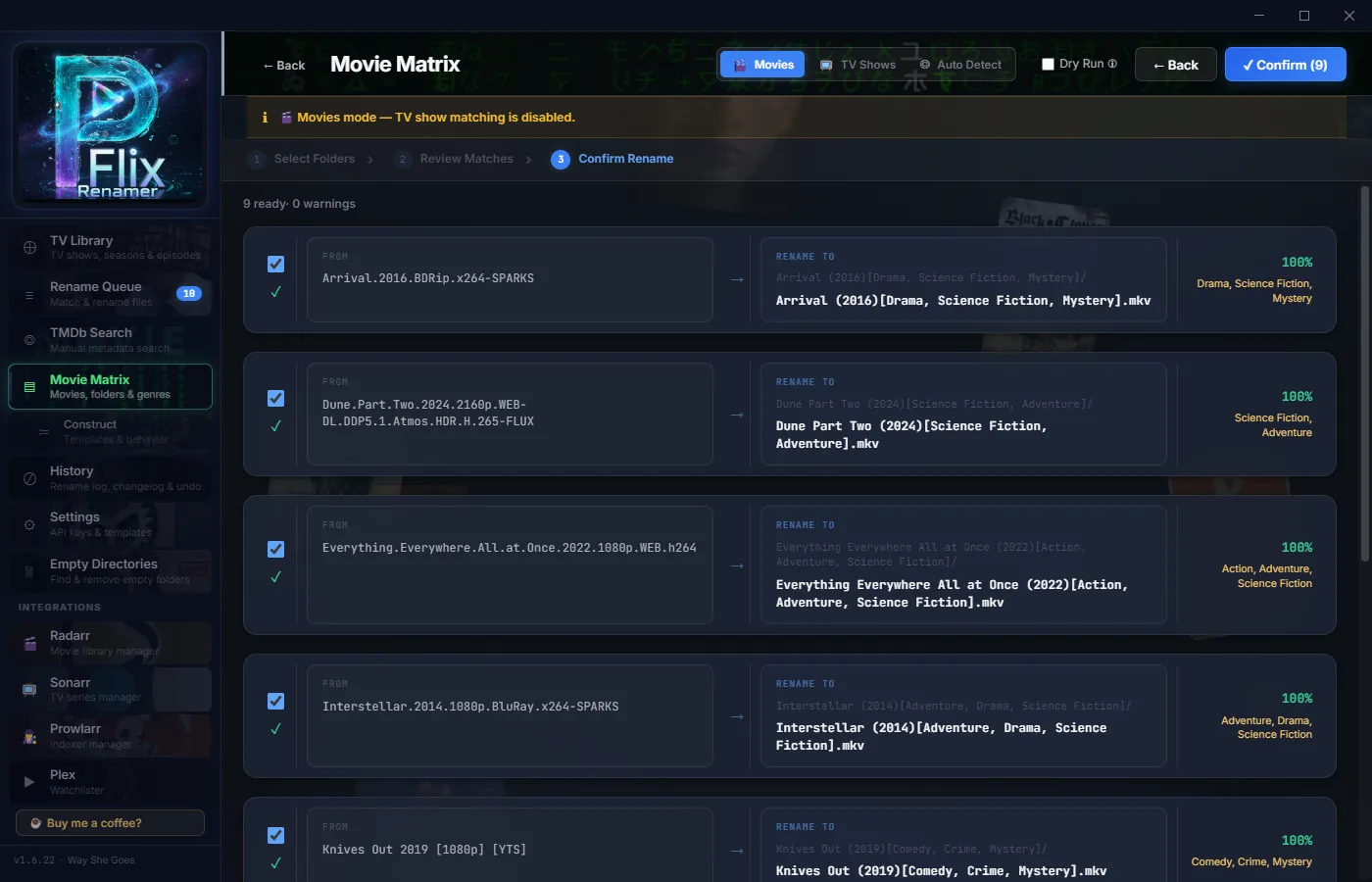
Movie Matrix
The heart of PFlix. Point it at any folder full of movies, and Movie Matrix scans every file, matches against TMDb, and generates perfect rename previews — before touching anything.
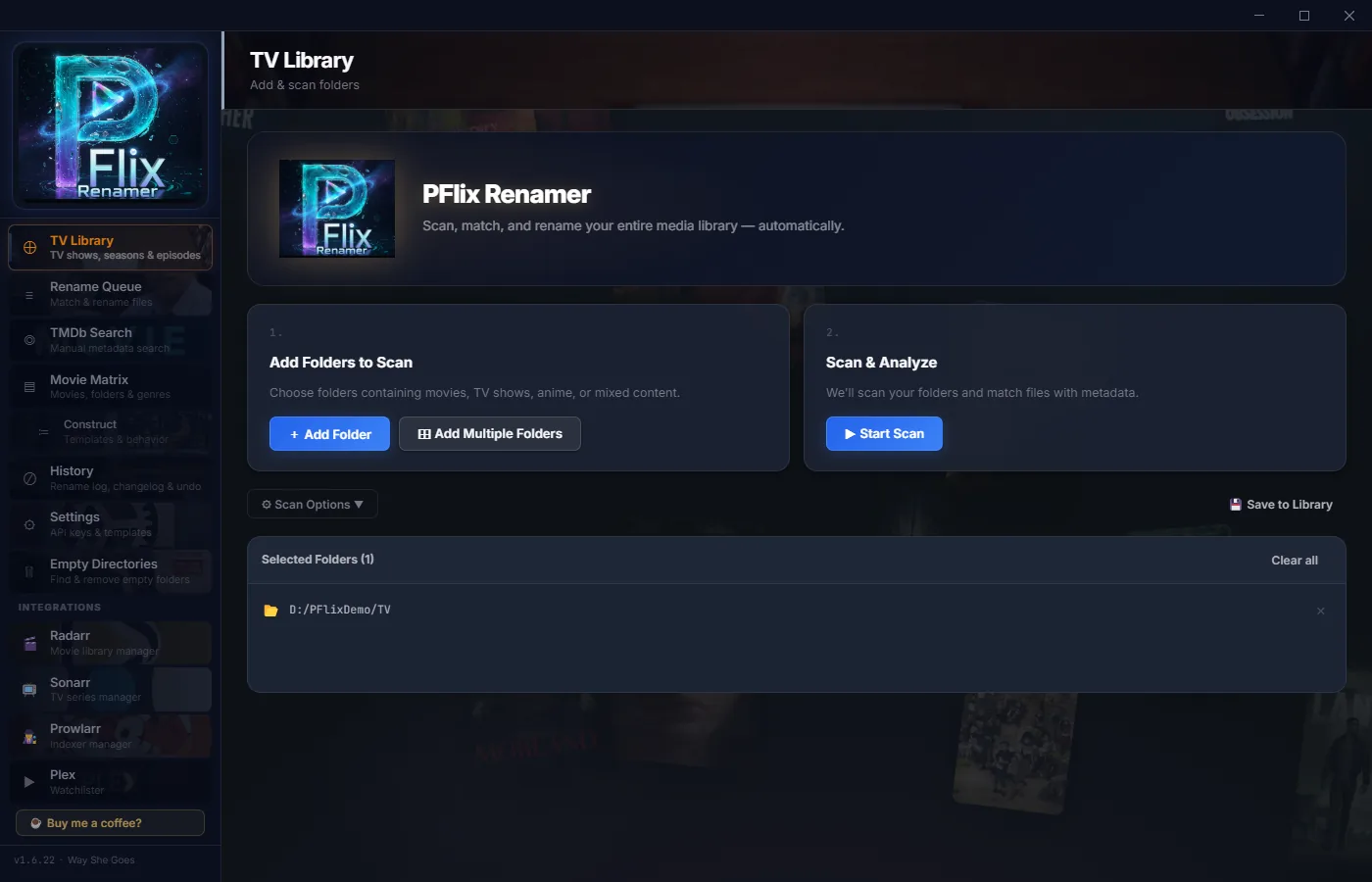
TV Library
Scan any TV show folder, match episodes against TMDb, and rename them to perfect Plex-standard naming. Season and episode numbers detected automatically — no guesswork.
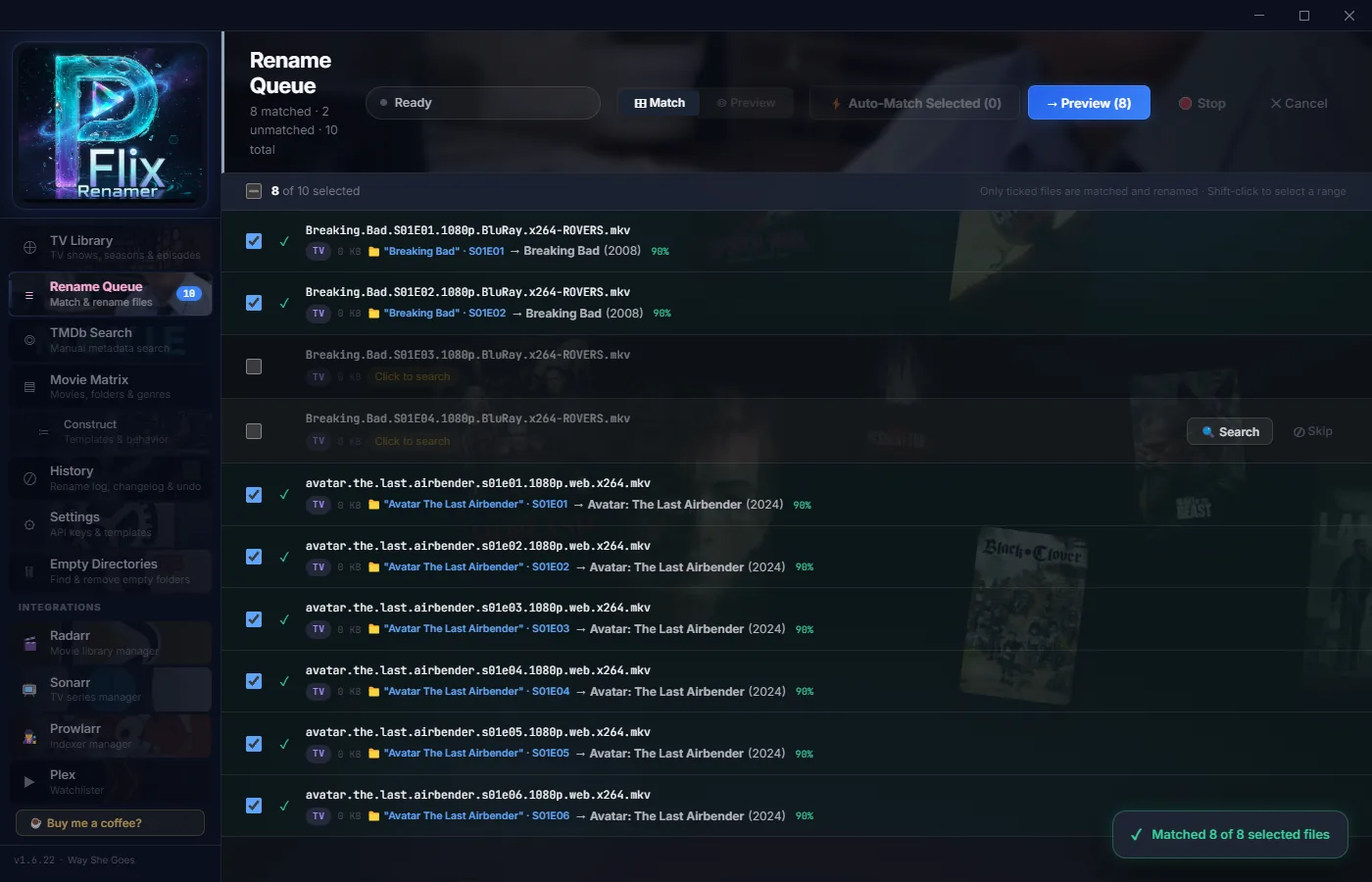
Rename Queue
Nothing renames without your approval. Every file gets a tick box — untick anything you want left alone, and only the ticked files are matched, previewed and renamed. Full history. Full control.
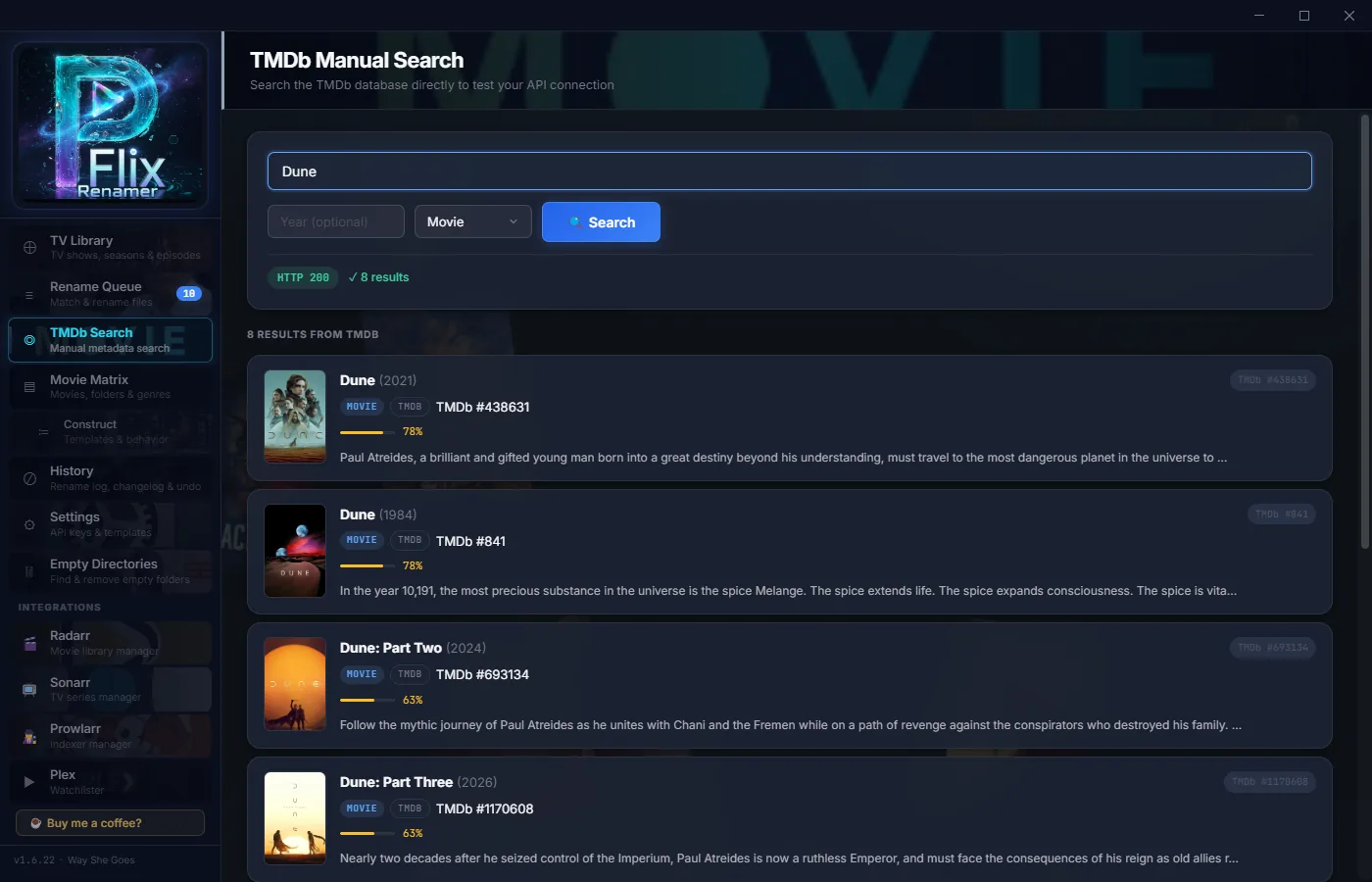
TMDb Search
When auto-matching misses something, TMDb Search puts you in direct control. Look up any movie or show by title, pick the right result, and push the correct metadata straight into your rename queue.
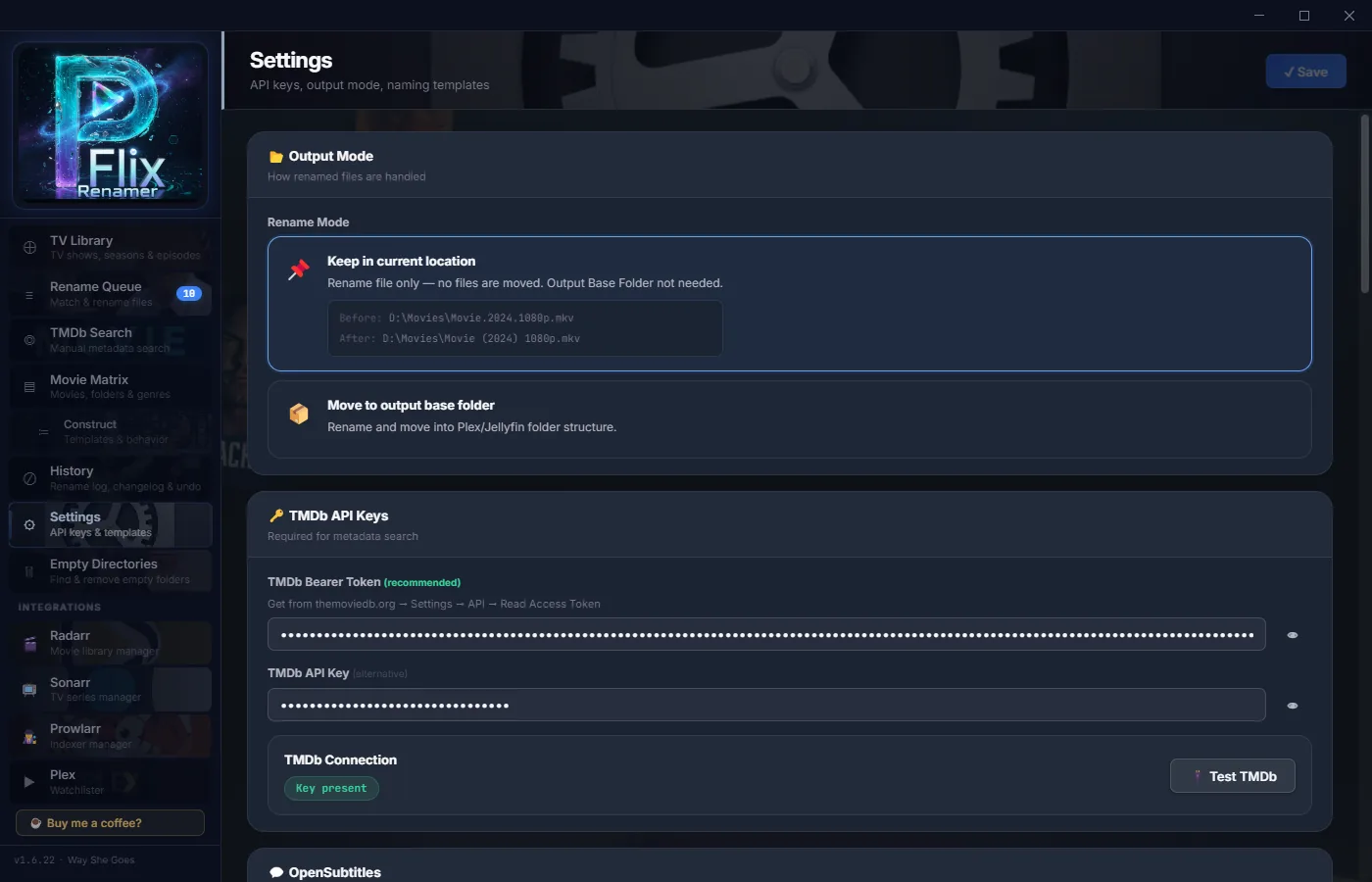
Subtitles & OpenSubtitles
PFlix keeps your subtitles in perfect sync with your media — and can fetch brand-new ones automatically. Connect your OpenSubtitles account once, and PFlix will find and download matching subtitle files.
Sonarr · Radarr · Prowlarr
Your full *arr stack, embedded. No browser tabs needed.
Sonarr
Full TV library browser with series artwork. Episode-level detail, missing episode search, wanted episode management, and queue monitoring — all without opening Sonarr.
Radarr
Full movie library. Filter by status (downloaded / monitored / missing). Trigger individual or bulk movie searches. Stats per movie: size, quality, file status.
Prowlarr
Indexer management panel. View, configure, and add new indexers without opening Prowlarr's UI. Schema-based add form with all standard fields.
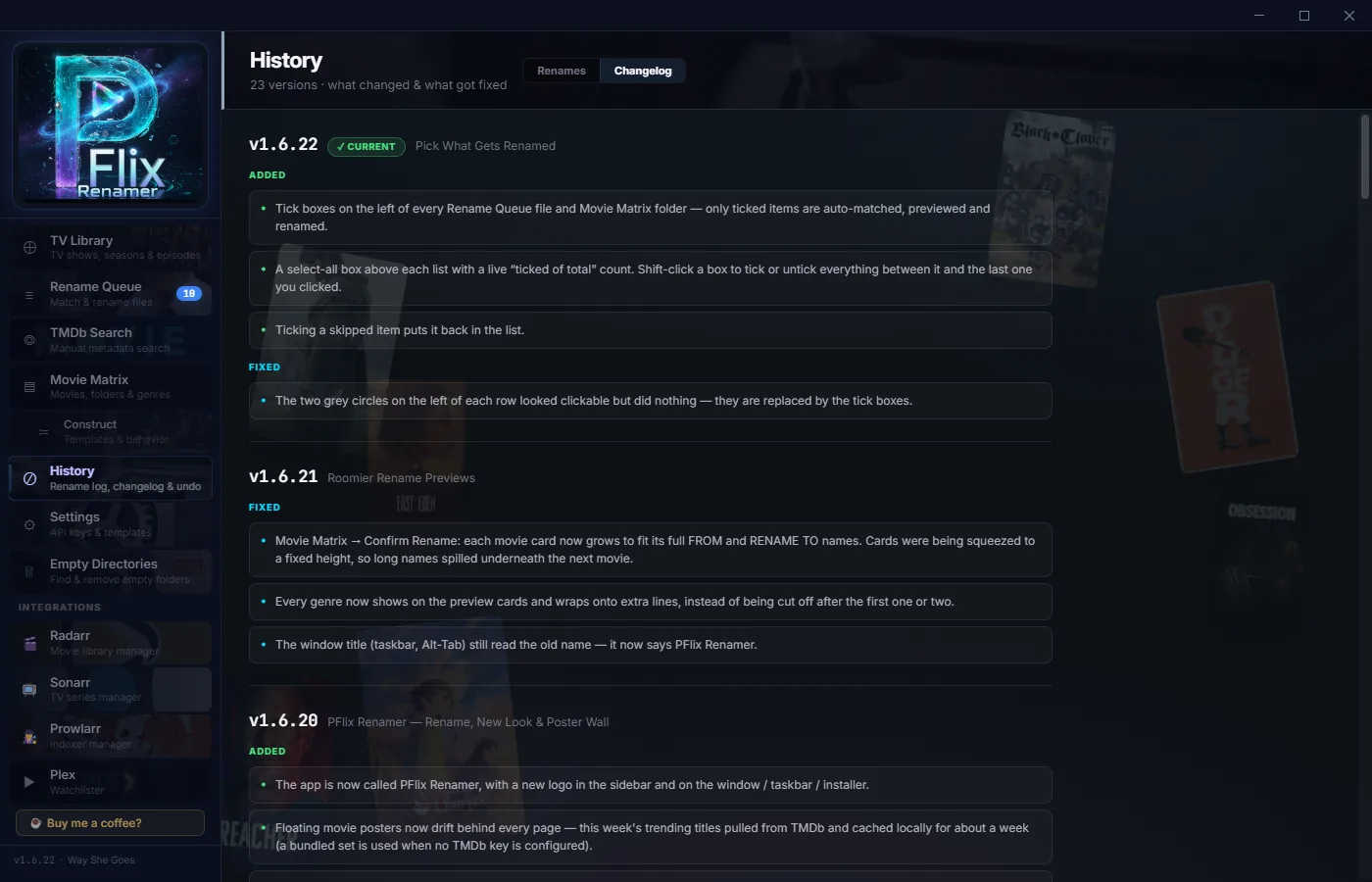
History & Undo
Every rename is logged forever. Browse the full history of what was renamed, when, and from where. Made a mistake? Undo an entire batch in one click — files go back exactly where they came from. The Changelog tab shows what's new in each version.
More tools. More control.
Updates Itself
PFlix Renamer checks pflix.shop for a new release when it starts and shows you what changed. Update now, Later, or Skip this version — the download is checked before it installs.
Trending Poster Wall
A floating wall of this week's trending TMDb posters behind the app — and a Plex Trending page that checks the top titles against what you already have.
Network Shares
Rename folders on a NAS or mapped drive safely. When a straight rename can't cross volumes, PFlix copies, verifies, then removes the original — and tells you if the destination already exists.
Empty Directory Cleanup
After renames and moves, dead empty folders accumulate. PFlix finds them all and removes them — keeping your folder structure as clean as your filenames.
Subtitle Awareness
Detects .srt, .sub, and other subtitle formats alongside video files and renames them in sync — so your subtitles never get orphaned after a rename.
Performance Controls
Configure scan concurrency, TMDb request rate, and UI update intervals. Run smooth on 5,000-file libraries or massive 50,000+ collections.
Safe by Default
PFlix never touches your files without explicit approval. Every rename is previewed. Every action is logged. Nothing irreversible happens automatically.
Privacy First
No telemetry, no analytics, no accounts. The only time PFlix Renamer contacts pflix.shop is to check for updates. Your library data and API keys stay on your machine.
Ready to fix your library?
Free. No account. No subscription. Just download and run.