Free Tool
Free Pixelate & Redact Tool
Black out or pixelate faces, license plates, account numbers, addresses — anything you need to hide in a screenshot or photo.
Free, private, no upload to a server. Everything happens in your browser.
All processing happens 100% in your browser — your photo is never uploaded anywhere. That matters more for this tool than almost any other: whatever you're redacting never leaves your device in the first place.
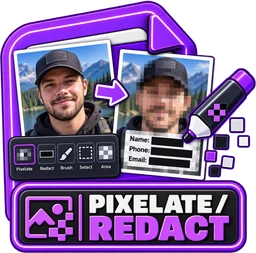
Upload Screenshot or Photo
Then draw a box over anything you want to redact
.jpg.png.webp
Drag & drop or click to browse · Max 25 MB
Everything You Need to Redact a Photo
100% Private
Your photo never leaves your device — the redaction itself runs locally in your browser. Whatever you're blacking out never touches a server in the first place.
Completely Free
No sign-up, no watermark, no subscription. Free forever.
True Pixelation
Each block is filled with the real average color of the pixels underneath, computed and written straight into the image data — not a blur filter sitting on top.
Solid Fill Option
Prefer a flat black (or any color) box instead? Switch any rectangle to a solid fill in one click.
Multiple Regions
Draw as many redaction boxes as you need — each one independently movable, resizable, and deletable.
Adjustable Strength
Control the pixelate block size from 6 to 30px per rectangle, so you can dial in exactly how obscured each region is.
Real Live Preview
What you see is what you get — the preview uses the exact same pixel-averaging algorithm as the final export, not a placeholder box.
Genuinely Destroyed
This isn't a see-through overlay. The original pixels inside every box are overwritten in the exported file — there's nothing left to reverse.
Works Everywhere
Desktop, tablet, or phone — no app required, works in any modern browser.